I have finished creating my autorun within AutoRun Wizard. What do I do now?
- Test. Click the Test button and check that the splash screen, sound, EULA and files run the way you want.
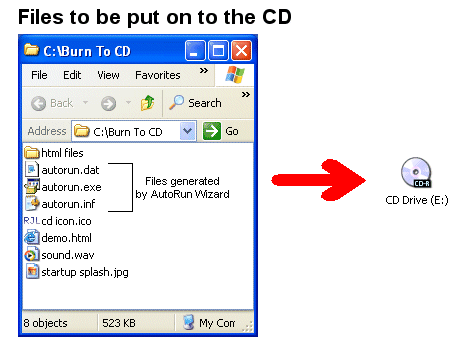
- Save. Click Save. AutoRun Wizard writes autorun.exe, autorun.dat and autorun.inf into your Base Folder.
- Copy or burn the contents of the Base Folder. Every file in the Base Folder goes to the root of the CD or USB drive, in the same folder structure. autorun.exe, autorun.dat and autorun.inf must be at the root (for example
D:\), not inside a folder, or the autorun will not work. - Check the result. Eject and reinsert the disc (or unplug and replug the USB drive), open it in File Explorer, and double-click autorun.exe.
Burning step by step, with pictures, is in My AutoRun CD does not launch on Windows 10 or 11, which also explains what your users see when they insert the disc. For a USB drive, see USB flash drives.
Try it yourself. My AutoRun is free to download and fully functional - see how it handles this on your own USB drive or CD.
Download & Try Free